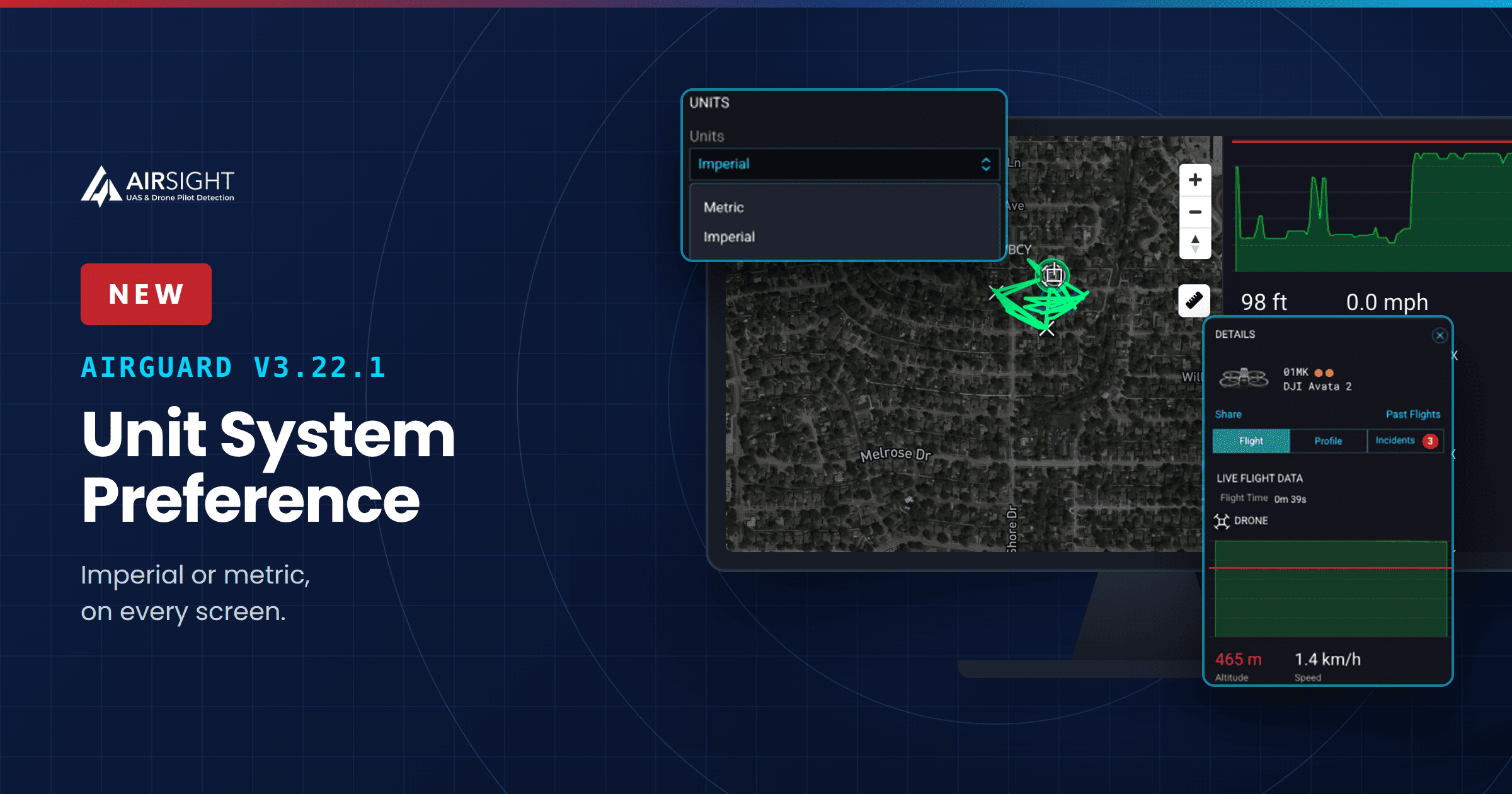
AirSight is giving security operators another benefit of working with AirGuard, its drone detection software platform: a one-click toggle between imperial and metric units. Switch it on, and every metric across the platform updates instantly, so operators can work and respond in real time using the units they already think in.
Security operators don't need to worry about converting units manually anymore. Now, international security teams can get all the metrics, including altitude, speed, and distance, displayed instantly in whichever unit system they prefer, so they can move with confidence when a fast response matters most.
Note: Units are set to imperial by default.
As Drone Threats Stay High, Unit Preference Becomes Essential
The Federal Aviation Administration (FAA) reported 600 drone sightings near U.S. airports during the second quarter of 2026, a figure similar to the same period last year. The FAA also reports receiving more than 100 drone sightings every month, a number it considers high given how dangerous it is to operate drones around airplanes, helicopters, and airports.
Even when security operators in the U.S. work in the imperial unit system to analyze and review these incidents, international operators or partner agencies often think in meters and need to convert the data to make sense of it.
With AirGuard, there's no need to manually convert altitude, speed, and distance between imperial and metric. Your preferred unit is already displayed across every screen in the platform in one click: live map, playback, records, and analytics pages. This leads to a more seamless workflow between organizations' reports and real-time response.
How AirGuard’s Unit Preference Helps Your Team
Here are some of the benefits your team will experience with this new feature:
- Clear metrics for global teams. No more mismatched reports because two operators described the same event in two different ways. International teams won't second-guess; in a single click, the metrics show up in their preferred unit system.
- Faster response, less stress. With no mental math standing between a security operator and the threat in front of them, the read is faster, the response follows right behind it, and there's more confidence in seeing the operation through.
- Clean reporting, every time. Partner agencies and analysts working in a different unit system can pull up historical detection logs and understand them right away.
This unit preference helps security officers at airports, correctional facilities, critical infrastructure sites, law enforcement agencies, stadiums, corporations, live events, and universities focus more on drone threat detection and less on mentally translating between units, so they can fulfill their objective and keep the airspace and facility secure.
“When you see the metrics in the units you already think and work in, there's less confusion and more confidence to complete the security operation. That's exactly the purpose of our Unit System Preference.” — Robert Tabbara, Founder & CEO, AirSight.
How AirGuard’s Unit Preference Works
-
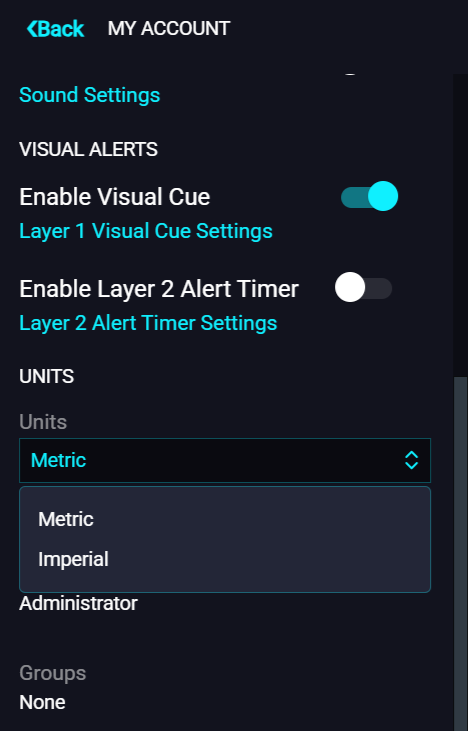
Imperial or Metric. Every operator can pick a unit system under Settings > View Profile > Units. This single change applies every time you log in to your browser.
-
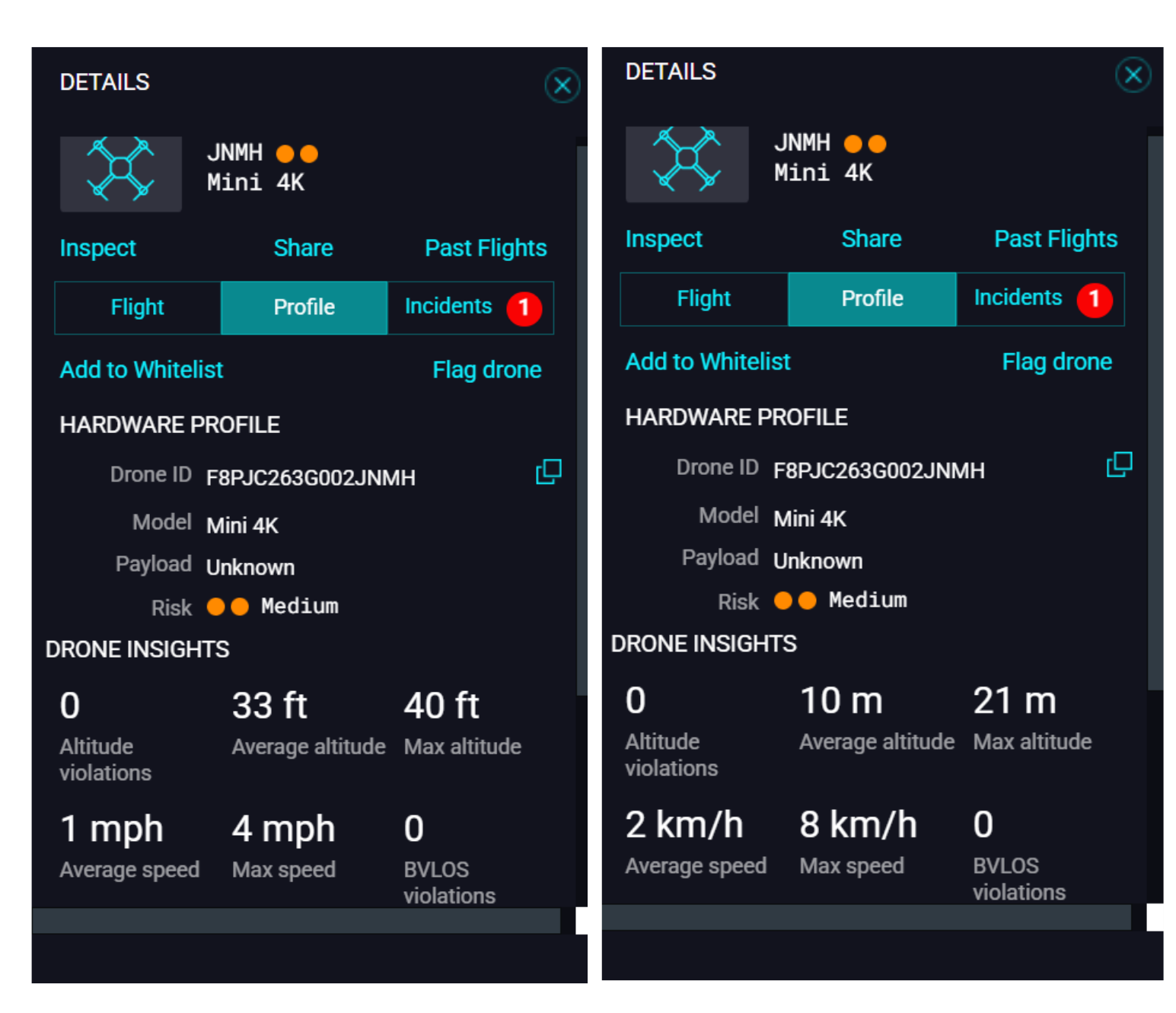
Your units, on every screen. Live map, records, playback, and analytics pages, every screen on the platform updates instantly to match the preference
-
Your preference sticks in the same browser. Once it's set, it stays that way in the same browser each time someone logs in.
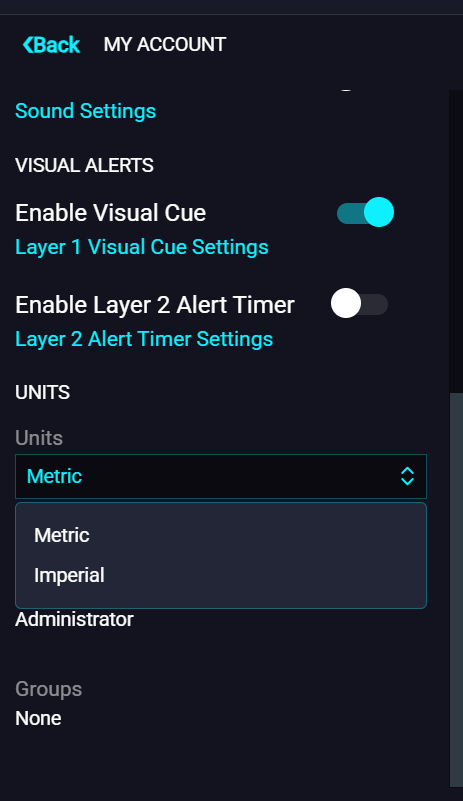
With AirGuard’s Unit Preference, there’s no more converting numbers while a drone is still in the air. Just a consistent view every security operator can act on.
Why Unit Preference Matters in Post Incident Analysis
Miriam McNabb from DRONELIFE reported on July 6, 2026, that one recent drone incident took place at Battle Creek Executive Airport at Kellogg Field in Michigan, when a pilot reported spotting a drone at 2,000 feet. The pilot took evasive action, and Calhoun County dispatch was notified. According to the FAA, drones shouldn't fly near airports, but these incidents keep happening, and when they do, someone has to reconstruct what happened.
That's usually where things get complicated. International teams working a post-incident investigation often need to convert units from imperial to metric and back again, and that's where AirGuard's Unit Preference becomes especially useful, whether the analysis happens after the fact or in real time.
See for yourself how AirGuard's Imperial and Metric Unit Preference keeps security operators reading the numbers in the units they understand, from first detection to final report. See AirGuard in action, and book a demo with our team to learn more about this and other new features.