SHORT ANSWER
Counter-UAS vendors integrate with existing security cameras through four methods: (1) native VMS plugins for platforms like Genetec Security Center, Milestone XProtect, and Avigilon Alta Video Cloud; (2) ONVIF-standard PTZ control for camera cueing; (3) API-based event forwarding to VMS event tables; and (4) direct RTSP stream ingestion for AI-based visual classification. Vendors that ship all four integration methods are rare. Before signing any procurement contract, get the vendor to name your specific VMS version and demonstrate the integration live — ONVIF conformance claims alone are not sufficient because ONVIF specifies event format, not event content.
Why this is the procurement question that separates competent vendors from vaporware
Almost every counter-UAS purchase is a brownfield deployment. The buyer already has a video management system (VMS) with dozens or hundreds of installed cameras, an operator interface staff are trained on, and integration paths to dispatch, access control, and incident-management workflows. The vendor's counter-UAS platform has to slot into that ecosystem — not replace it, and not force a parallel operator screen that generates alert fatigue and cognitive overload.
This is where many vendor pitches fail. A polished demo with the vendor's own cameras and their own operator console proves nothing about whether the platform will actually integrate with your Genetec Security Center deployment, your existing Avigilon cameras, or your operator workflow. The integration question is the single most consequential procurement question after the sensor architecture itself, and it is the question where undisciplined vendor claims are most common.
The four integration methods, explained
Counter-UAS platforms integrate with existing VMS deployments through four distinct technical methods. Each has different capabilities, different depth of integration, and different implementation costs. Vendors typically ship two or three of the four; ones that ship all four are the strongest procurement partners for facilities with mature VMS deployments.
Method 1: Native VMS plugins
The deepest form of integration. The counter-UAS vendor develops a plugin specifically for a named VMS platform (Genetec Security Center, Milestone XProtect, Avigilon Alta), certifies it against the VMS vendor's SDK, and the plugin is distributed either through the VMS marketplace or by direct vendor download. The plugin surfaces counter-UAS events (drone detected, drone type, threat level, pilot location) as first-class events inside the VMS operator interface, alongside the camera events the operator is already trained to respond to.
For Genetec Security Center specifically, native plugins are distributed through the Genetec Plugin SDK and require Genetec certification. For Milestone XProtect, plugins are distributed via the XProtect Marketplace under Milestone's Open Platform Community Portal. Avigilon integration typically runs through the Avigilon Unity Video SDK or the newer Avigilon Alta Video Cloud API. Native plugins are the most operationally clean form of integration, but they require the vendor to invest in each VMS platform separately and maintain compatibility across version releases.
Method 2: ONVIF-standard PTZ control
ONVIF (Open Network Video Interface Forum) is the industry-standard protocol for camera interoperability. ONVIF Profile S (streaming), Profile T (video streaming with H.265), Profile G (recording), and other profiles specify how VMS platforms and cameras communicate. For counter-UAS integration, the relevant capability is PTZ control: when the counter-UAS platform detects a drone via radar or RF, it can send an ONVIF PTZ command to an existing pan-tilt-zoom camera to slew the camera onto the target for visual confirmation.
The critical detail most vendor material glosses over: ONVIF specifies event format, not event content. ONVIF Profile S conformance means the counter-UAS platform can send PTZ commands to an ONVIF-conformant PTZ camera and receive video streams from it, but it does not mean the platform can send counter-UAS-specific event data (drone type, threat classification, pilot GPS) through ONVIF in a way the VMS will understand as anything more than a generic motion event. For counter-UAS events specifically, native VMS plugins are the only way to get first-class event integration; ONVIF PTZ control is a camera-cueing capability, not an event-forwarding capability.
Method 3: API-based event forwarding
The middle-ground integration method. The counter-UAS platform exposes a REST or WebSocket API that the VMS can subscribe to, or the counter-UAS platform pushes events to the VMS via the VMS's own event ingestion API. Both Genetec and Milestone support external event ingestion (Genetec through Security Center SDK and REST API; Milestone through XProtect Analytics Events and MIP SDK). Well-implemented API integration surfaces counter-UAS events in the VMS event log, timeline, and rules engine — not as native events, but as first-class external events that can trigger the VMS's automated workflows (recording, notification, access-control changes).
API-based integration is the practical choice for VMS platforms where the counter-UAS vendor has not built a native plugin. It requires more integration engineering work at deployment (mapping event fields, defining trigger logic in the VMS rules engine, testing failure modes) but produces an operationally clean result. The key procurement question: which API? A vendor that says “we have an API” without specifying the interface, the authentication model, the event schema, and the rate limits is not offering a defensible integration.
Method 4: RTSP stream ingestion
The simplest integration method, and the appropriate choice when the counter-UAS platform includes its own PTZ camera as part of the deployment. The counter-UAS platform streams the target-locked camera feed via RTSP (Real-Time Streaming Protocol), and the existing VMS ingests the RTSP stream as an additional camera channel. In Genetec Security Center, this requires a standard camera license per RTSP stream; in Milestone XProtect, the equivalent is a Standard or Professional device license.
RTSP integration is not event integration; the VMS sees the video stream but does not receive counter-UAS-specific metadata about what is being tracked. For deployments where the operator will look at the VMS video wall for situational awareness and use the counter-UAS platform's own console for tactical decision-making, RTSP is sufficient. For deployments where counter-UAS events need to trigger VMS workflows (recording rules, notification templates, access-control interlocks), event-forwarding integration is required in addition to RTSP.
Method comparison at a glance
|
Method |
Depth of integration |
Implementation cost |
When to require it |
|
Native VMS plugin |
Deepest — first-class VMS events |
Higher (vendor development) |
Any deployment where counter-UAS is a core security workflow |
|
ONVIF PTZ control |
Shallow — camera cueing only, no event data |
Low (standard protocol) |
Facilities with existing ONVIF-conformant PTZ cameras for confirmation |
|
API event forwarding |
Deep — external event with metadata |
Medium (integration engineering) |
VMS platforms without a native plugin from the counter-UAS vendor |
|
RTSP stream ingestion |
Very shallow — video only |
Very low (camera license per stream) |
Deployments where counter-UAS platform includes its own PTZ cameras |
The four integration methods compared. For most brownfield deployments, the correct architecture combines a native plugin OR API-based event forwarding (for event integration) with ONVIF PTZ (for cueing existing cameras). RTSP is added only when the counter-UAS platform includes its own cameras.
What integration looks like on each major VMS platform
The four major VMS platforms in the North American commercial security market are Genetec Security Center, Milestone XProtect, Avigilon (now split into Alta Video Cloud and Unity Video), and Axis Camera Station. Each has its own integration architecture. Here is what a counter-UAS vendor needs to deliver for each.
Genetec Security Center
The most operationally complex of the major VMS platforms and the standard in high-security deployments (airports, correctional facilities, corporate campuses). Native plugin integration runs through the Genetec Plugin SDK, and the plugin appears in the Security Center Config Tool and Security Desk operator interface. External event integration runs through the Security Center SDK's event system or the newer Security Center REST API. Genetec's marketplace and certified partner program provides an independent quality signal: certified integrations are audited by Genetec engineering.
The specific procurement question for Genetec deployments: is the counter-UAS vendor listed in the Genetec Certified Partner Directory, and what is the certification tier? Some vendors claim Genetec integration but ship only an unaudited plugin outside the certified partner program — the practical impact is that the plugin may not survive Security Center version updates without recertification.
Milestone XProtect
The most open of the major VMS platforms, with the largest third-party integration ecosystem. Native plugin integration runs through the Milestone Interconnect Platform (MIP) SDK and is distributed through the XProtect Marketplace. External event integration runs through the XProtect Analytics Events framework or the MIP Event Server. Milestone's Open Platform Community Portal maintains a directory of certified integrations with granular version-compatibility metadata.
The specific procurement question for XProtect deployments: which XProtect edition (Essential+, Express+, Professional+, Expert, Corporate) does the counter-UAS vendor support, and which XProtect version release? Milestone's edition tiers have different SDK access, and integration built for XProtect Corporate does not always work in XProtect Professional+ without adjustments.
Avigilon (Unity Video and Alta Video Cloud)
Avigilon splits into two product lines with distinct integration paths. Unity Video (formerly ACC) is the on-premise VMS used in large-scale enterprise deployments; integration runs through the Avigilon Unity SDK. Alta Video Cloud is the cloud-native VMS aimed at newer deployments; integration runs through the Alta Video Cloud API.
The specific procurement question for Avigilon deployments: which Avigilon product line does the counter-UAS vendor integrate with, Unity or Alta? Some vendors claim Avigilon integration but support only Unity Video (leaving newer Alta deployments uncovered) or only Alta (leaving large enterprise Unity deployments uncovered). Confirm the specific product line before proceeding.
Axis Camera Station and other Axis integrations
Axis is primarily a camera manufacturer but ships Axis Camera Station as a small-to-medium-business VMS. Integration with Axis Camera Station is limited compared to Genetec, Milestone, or Avigilon. More importantly, most enterprise-scale Axis deployments run Axis cameras inside a third-party VMS (typically Genetec or Milestone), and the counter-UAS integration path is through that VMS — not through Axis Camera Station.
The specific procurement question for facilities with Axis cameras: what is the deployed VMS? If the answer is Axis Camera Station, integration options are limited; if the answer is Genetec, Milestone, or Avigilon, use those integration paths and treat Axis as the camera manufacturer only.
The ONVIF caveat every procurement officer should understand
ONVIF conformance is the industry-standard signal that a device or platform will interoperate with the broader security ecosystem. Vendors reference their ONVIF Profile S, T, or G conformance in every product datasheet. Procurement officers rely on ONVIF conformance to reduce vendor lock-in. All of that is correct in principle. In practice, the practical value of ONVIF conformance for counter-UAS integration is more limited than most vendor material implies, for one specific reason.
|
The technical distinction that changes procurement ONVIF specifies event format, not event content. ONVIF standardizes how events are delivered between conformant devices — the protocol, the message structure, the authentication. It does not standardize what events mean. A drone-detected event from a counter-UAS platform and a motion-detected event from a security camera can both be ONVIF-conformant and yet be entirely different data structures inside the message body. This is why native VMS plugin integration remains valuable even in a fully ONVIF-conformant deployment: the plugin translates counter-UAS-specific event content into a form the VMS's rules engine and operator interface can consume as first-class events. |
This distinction matters for procurement because vendors sometimes lean heavily on ONVIF conformance to imply integration depth they cannot actually deliver. “Our system is ONVIF Profile S conformant” is a true statement about camera cueing capability; it is not a true statement about VMS event integration. The correct procurement response to any ONVIF-based integration claim is: what specifically does ONVIF conformance give me here, and what integration method is used for counter-UAS event data?
Twelve questions to ask any counter-UAS vendor about VMS integration
Before signing any procurement contract, get affirmative written answers to these twelve questions. The vendor should be able to answer all twelve without hedging; a vendor that hedges on more than two is not a defensible procurement partner for a facility with a mature VMS deployment.
- What is my current VMS platform, edition, and version, and what is your certified compatibility statement for that specific configuration?
- Do you ship a native VMS plugin for my platform, and if so is it certified by the VMS vendor (Genetec Certified Partner, Milestone Verified, etc.) or only self-published?
- If no native plugin, what is your API-based event forwarding path, and what is the specific event schema for drone-detected events?
- Which ONVIF profiles do you support for PTZ camera cueing, and can you demonstrate cueing an existing customer PTZ camera live during the evaluation?
- If your platform ships its own PTZ cameras, what is the RTSP stream specification (resolution, framerate, codec, latency) that my VMS will need to ingest?
- When the VMS vendor releases a major version update, what is your certification and testing pipeline to ensure continued compatibility?
- Can drone-detected events trigger my existing VMS rules (recording, notification, access-control interlocks) as first-class events, or only as generic external events?
- What is the end-to-end latency from drone detection to VMS event delivery, and what is your SLA on that latency?
- If my facility uses multiple VMS platforms across sites, does your integration support all of them simultaneously with unified event management?
- Can you provide reference customer contact information for a facility running your platform integrated with my specific VMS?
- What is your integration engineering support model — do you provide integration engineers on-site during deployment, or does that fall on my systems integrator?
- What is your commitment to backward compatibility — if I renew this deployment in 3 years and you release a new version of your platform, will my existing VMS integration continue to work?
Four common vendor failure modes to watch for
The most consequential integration failures happen not at deployment but during operational lifetime. Four vendor failure modes account for most integration disputes in the first 18 months of a counter-UAS deployment.
- “ONVIF conformance means we integrate.” The claim that ONVIF conformance is sufficient for VMS event integration. It is not; ONVIF specifies event format, not event content. The counter-UAS vendor needs a native plugin, an API, or both to deliver first-class VMS events.
- “Our plugin is certified.” Ambiguity between self-certification (the vendor tested it against their own dev environment) and VMS-vendor certification (Genetec, Milestone, or Avigilon audited it and admitted it to the certified partner directory). Ask which one specifically.
- “We'll customize it for your VMS.” The offer to build a custom integration for your specific VMS deployment. This is fine as a scoped engagement with defined deliverables; it is not fine as a promise made during a sales pitch without a supporting statement of work.
- “Our newest version supports [VMS platform].” Newness in the VMS integration is not the same as maturity. A counter-UAS platform with 18 months of production deployments on your specific VMS is materially different from one shipping a first-release plugin. Ask about deployment history, not release history.
What AirGuard supports
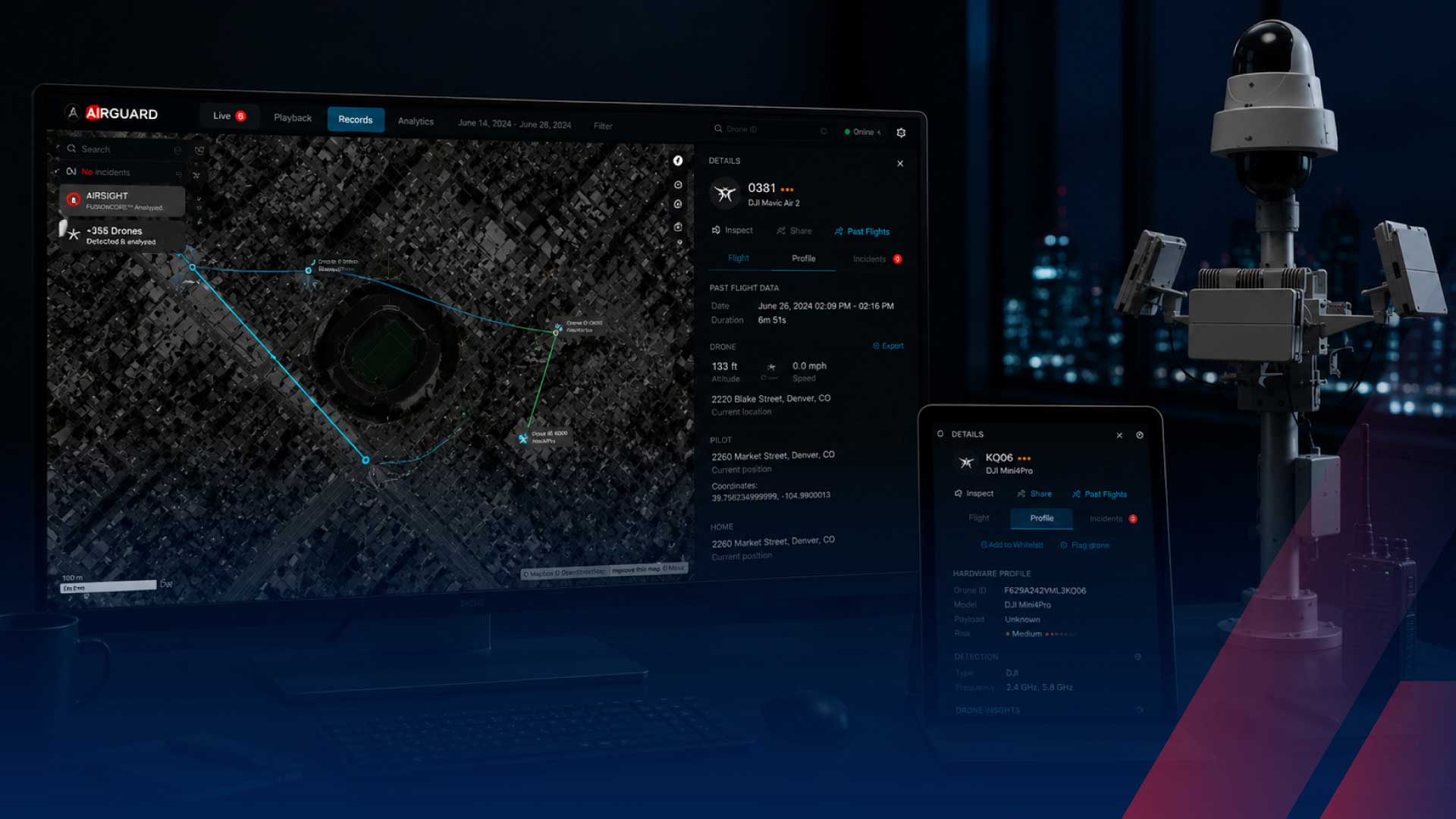
AirGuard ships integration paths for the four major VMS platforms in the North American commercial security market.
- Genetec Security Center: Native plugin distributed through the Genetec Certified Partner program, supporting versions 5.11 and later, with certified event integration to Security Desk and the Security Center rules engine.
- Milestone XProtect: Native plugin distributed through the Milestone XProtect Marketplace, supporting XProtect Corporate, Expert, and Professional+ editions, with MIP-based event forwarding.
- Avigilon Unity Video and Alta Video Cloud: Event integration through Avigilon SDK for Unity Video; REST API integration for Alta Video Cloud.
- ONVIF Profile S and T: PTZ camera cueing for any ONVIF-conformant camera in the deployment, independent of the VMS.
- RTSP stream output: For deployments where AirGuard PTZ cameras stream to the VMS as additional camera channels.
For deployments on VMS platforms outside the four above, AirGuard's REST API and WebSocket event stream support integration engineering to any modern VMS with an external event ingestion interface.
The procurement decision, sequenced
For a facility with an existing VMS deployment evaluating counter-UAS vendors, the correct procurement sequence is four steps.
- Step 1. Document your VMS environment. Which platform, which edition, which version, how many cameras, which camera manufacturers, which integration paths you already use for other security systems (access control, intrusion, video analytics). This documentation is what every counter-UAS vendor needs to give a defensible compatibility statement.
- Step 2. Ask the 12 vendor evaluation questions in writing. Get written answers before any live demo. Vendors that answer cleanly in writing typically deliver cleanly in the field; vendors that hedge in writing typically hedge in deployment.
- Step 3. Require a live integration demo. Not a slide deck. Not a pre-recorded video. A live demonstration of the counter-UAS platform integrated with a VMS instance running the same edition and version as your production environment, with events flowing through your VMS's rules engine.
- Step 4. Talk to a reference customer. Any counter-UAS vendor that has actually shipped VMS integration at production scale has customers running that integration. Ask for the reference. Call the reference. If the vendor cannot produce a reference for your specific VMS platform, treat that as material information.
|
Evaluating counter-UAS platforms for a facility with an existing VMS deployment? Book a 30-minute call with AirSight. We will walk you through the four integration methods as they apply to your specific VMS platform and version, help you shape the vendor evaluation questions, and provide vendor-neutral guidance on what a defensible integration architecture looks like at your facility. No obligation, no cost. |